
During my time as an air charter sales representative, our team would often receive requests to move freight that was potentially too large to fit on the aircraft. There was documentation containing the dimensions the aircraft could accept. However, the documentation could not cover every possible size, and when the ability to load the freight came into question due to its borderline size, physical mockups had to be created and loaded onto the aircraft before the flight could be dispatched.
This method was problematic for a few reasons…
- The mockups were made by taping together leftover cardboard boxes, which was tedious and not very accurate.
- There were times when all the fleet aircraft were out of base making it impossible to load the mockup.
- Occasionally, there were varying sizes of freight making the process even slower.
- Our clients expect a rapid response of our fleet capabilities since the freight was often a machine part that was critical to factory line operation.
One particular request came in with multiple large oil rig parts of various dimensions. By the time the team had configured the cardboard-and-tape mockups, only to discover the cargo wouldn’t fit, over two hours had passed.
This process became increasingly frustrating for the team and for clients. Time and labor were often wasted, losing potential sales and losing precious time that could otherwise be spent meeting company goals.
There was clearly a better solution to this problem.
Later that week, I proposed using 3D scans of the aircraft interiors and Unity Engine to create a freight loading simulator. The director of sales greenlit the project and I began developing it between sales calls.
Two months later the Lear-Falcon Loading Simulator was complete. Freight of any size could be generated and loaded onto the simulated aircraft in seconds.
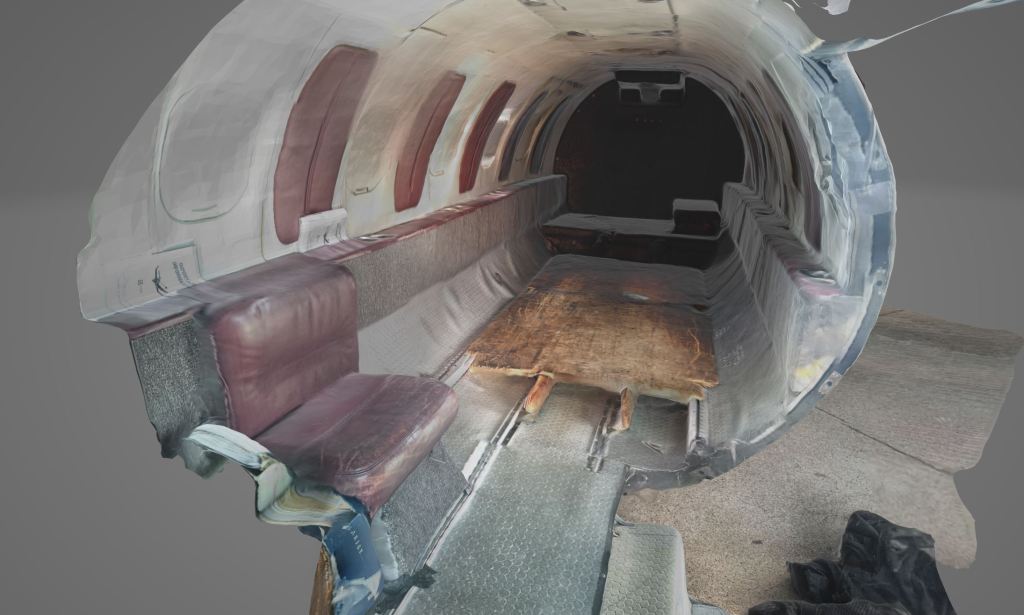
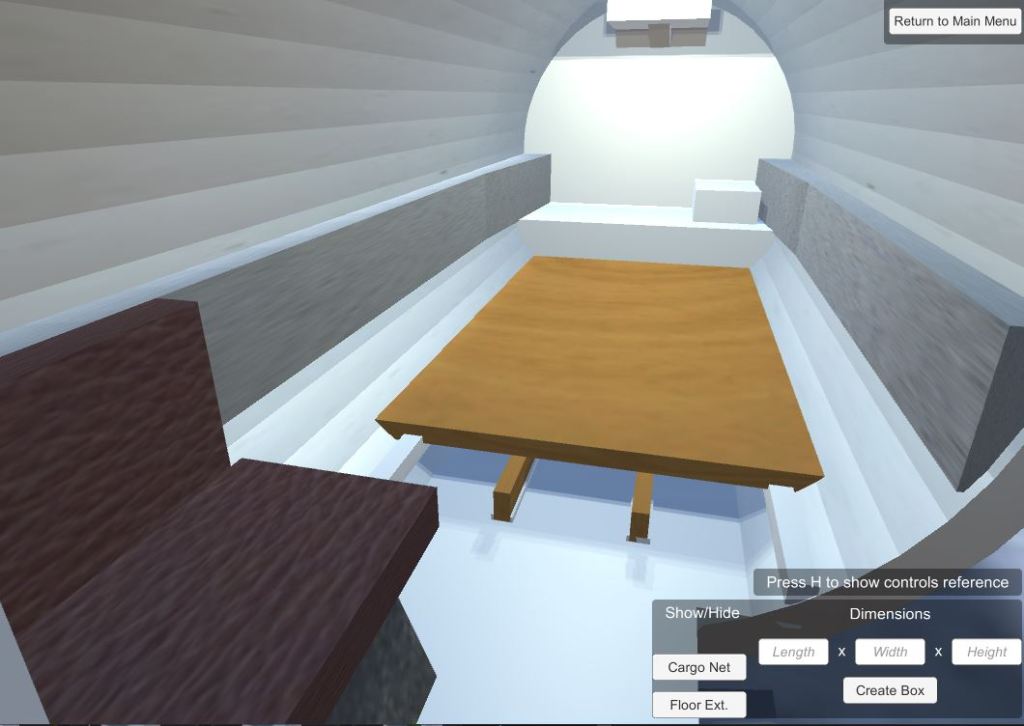
The two primary freight aircraft types (Learjet 35 and Falcon 20) had been scanned and optimized models had been created to increase performance on available workstations.
3D Scan
Optimized Model
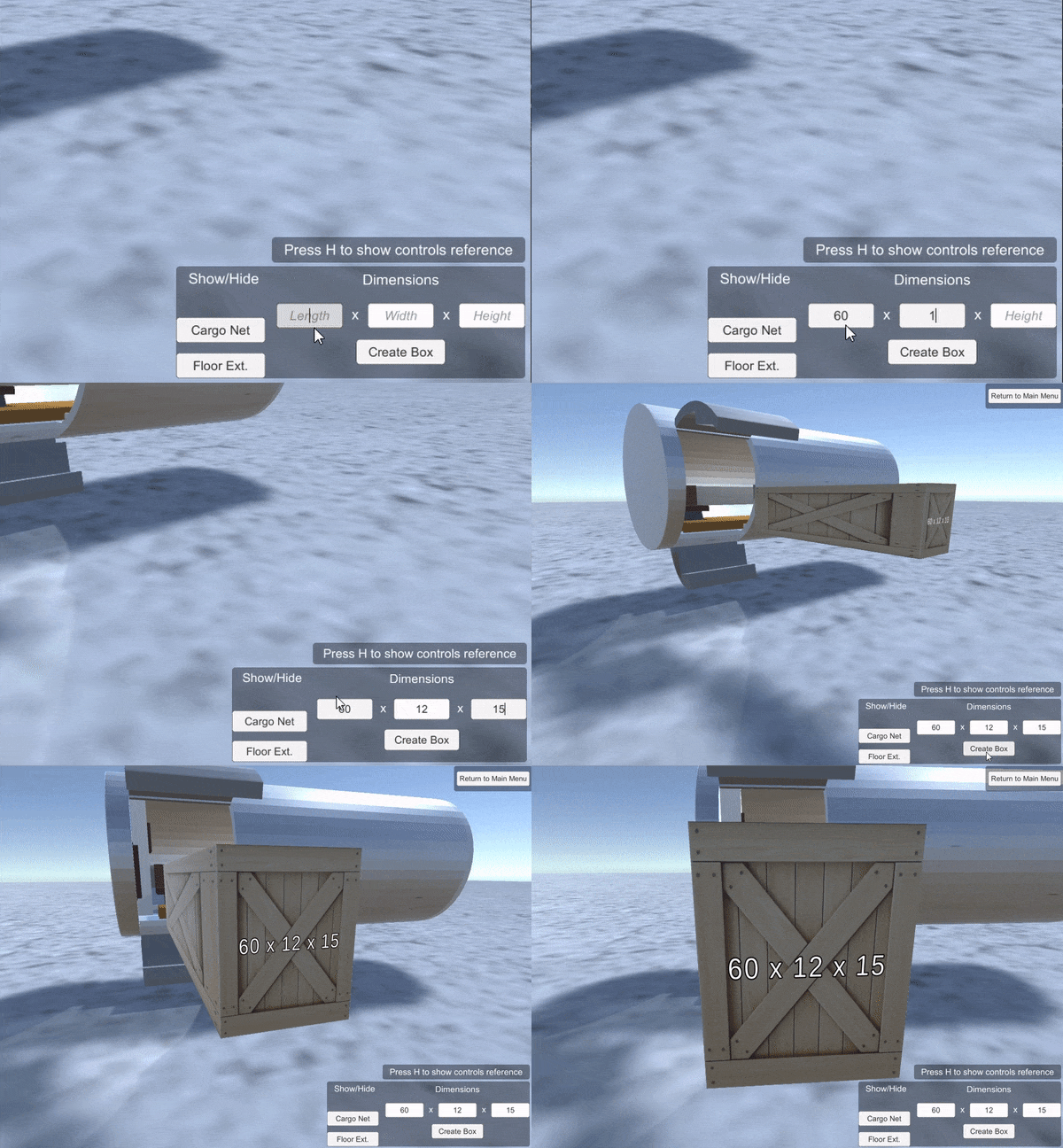
Freight creation is fast and easy.
Loading takes seconds using a click-and-drag approach.
The controls allow for 6 degrees of freedom (6DOF) meaning the freight can be rotated in any way while loading.

The freight’s color changes green when selected and either yellow or red when colliding with adjacent freight or aircraft walls. This aids the user in making sure the freight will fit with a fair margin.
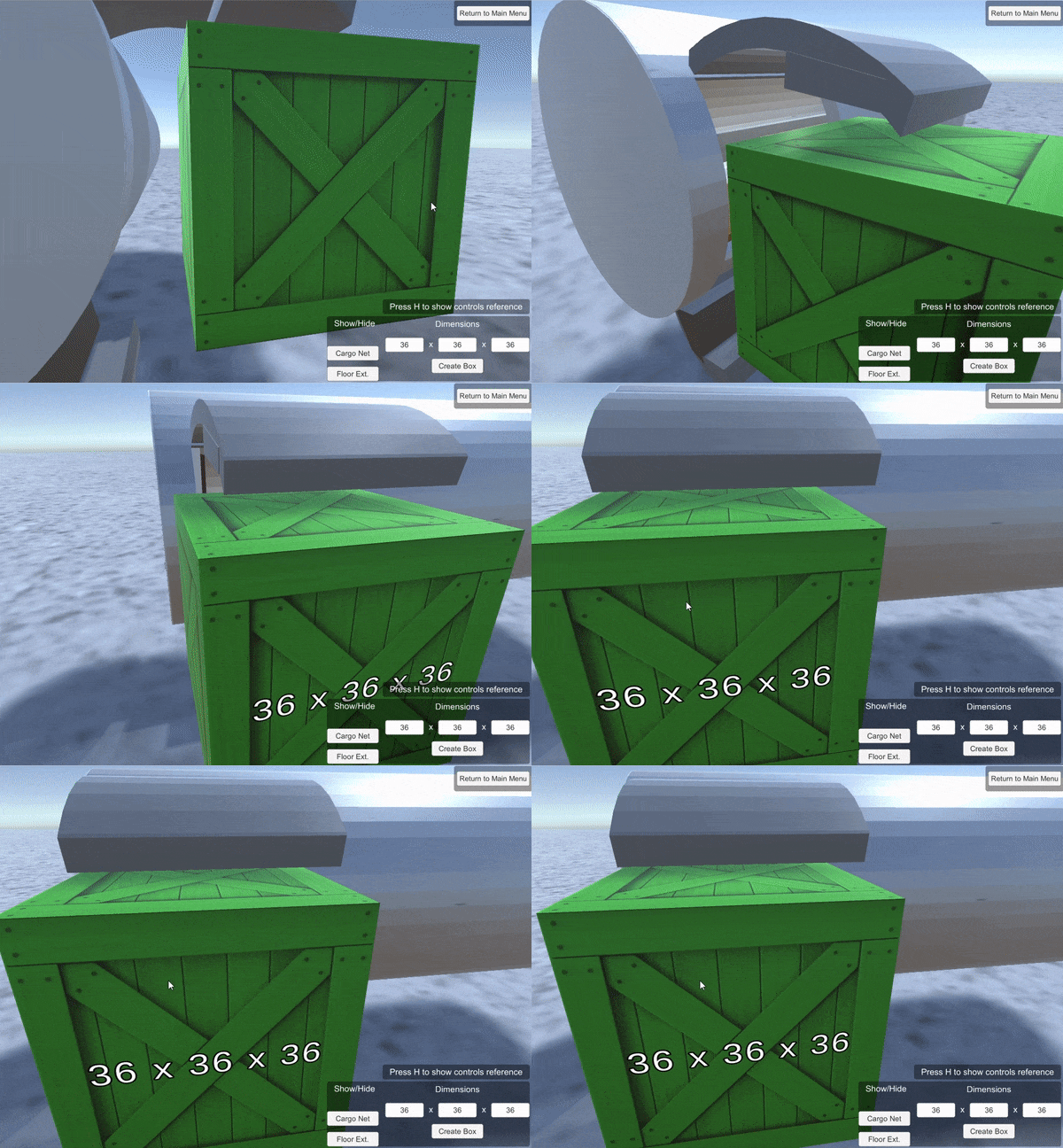

Here is a demo of loading one of the oil rig parts from my client’s request.
By using the simulator instead of physical mockups the process only takes 60 seconds and an answer could be given to a client on the initial call.
In addition, it also acts as a training aid for new hires by providing the trainee with a clear visualization of how the loading process works, and how much volume the freight occupies. This reduced the numbers of training hours needed.
Project Impact:
- Increased productivity of the sales process.
- Increased accuracy of measurements.
- Decreased wait time for clients.
- Decreased time wasted for staff.
- Increased seasoned and new team member’s understanding of fleet capabilities.
Developer
Tim Berasley
Unity Development, 3D Modeling, LiDAR Scanning
Status
Completed April 2022
Tools
Unity Engine
C#
Blender
Polycam
 Tim Berasley
Leave a comment